> ## Documentation Index
> Fetch the complete documentation index at: https://docs.matocard.xyz/llms.txt
> Use this file to discover all available pages before exploring further.
# Quickstart
> Sign in and read a home screen from the live API in five minutes.
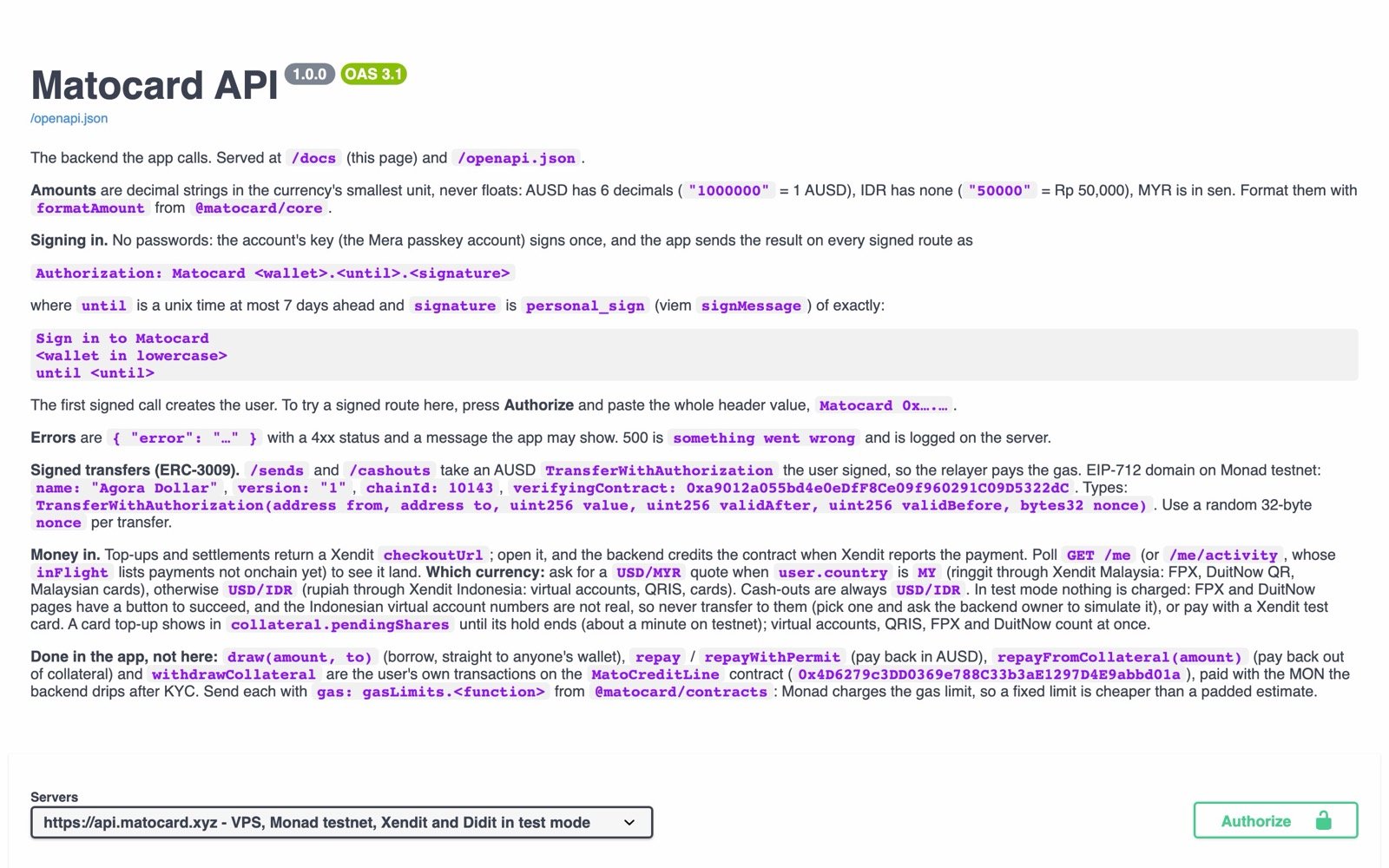
The API is live at **`https://api.matocard.xyz`**, with every route in the API reference tab and in [Swagger](https://api.matocard.xyz/docs). CORS is open, so it works from a browser, Vercel or localhost.
 ```bash theme={null}
curl https://api.matocard.xyz/health
# {"ok":true}
```
```bash theme={null}
bun add viem
```
No passwords. The account signs a fixed message once; the result is the session.
```ts signin.ts theme={null}
import { generatePrivateKey, privateKeyToAccount } from "viem/accounts";
// in the app this is the Mera passkey account
const account = privateKeyToAccount(generatePrivateKey());
const until = Math.floor(Date.now() / 1000) + 7 * 24 * 3600; // at most 7 days
const message = `Sign in to Matocard\n${account.address.toLowerCase()}\nuntil ${until}`;
const signature = await account.signMessage({ message });
const authorization = `Matocard ${account.address}.${until}.${signature}`;
```
```ts theme={null}
const me = await fetch("https://api.matocard.xyz/me", {
headers: { authorization },
}).then((r) => r.json());
console.log(me.verified, me.limit, me.score);
// false "0" "0" for a new account
```
The first signed call creates the user.
```ts theme={null}
const quote = await fetch("https://api.matocard.xyz/quote", {
method: "POST",
body: JSON.stringify({ pair: "USD/MYR" }),
}).then((r) => r.json());
// { id, pair: "USD/MYR", rate: "4.0845", expiresAt }
```
## Next
The session format and its rules.
Smallest units, currencies, rounding.
Top-ups, settlements and cash-outs.
What the app sends to the chain itself.
This documentation is built and hosted on [Mintlify](https://mintlify.com), a developer documentation platform.
```bash theme={null}
curl https://api.matocard.xyz/health
# {"ok":true}
```
```bash theme={null}
bun add viem
```
No passwords. The account signs a fixed message once; the result is the session.
```ts signin.ts theme={null}
import { generatePrivateKey, privateKeyToAccount } from "viem/accounts";
// in the app this is the Mera passkey account
const account = privateKeyToAccount(generatePrivateKey());
const until = Math.floor(Date.now() / 1000) + 7 * 24 * 3600; // at most 7 days
const message = `Sign in to Matocard\n${account.address.toLowerCase()}\nuntil ${until}`;
const signature = await account.signMessage({ message });
const authorization = `Matocard ${account.address}.${until}.${signature}`;
```
```ts theme={null}
const me = await fetch("https://api.matocard.xyz/me", {
headers: { authorization },
}).then((r) => r.json());
console.log(me.verified, me.limit, me.score);
// false "0" "0" for a new account
```
The first signed call creates the user.
```ts theme={null}
const quote = await fetch("https://api.matocard.xyz/quote", {
method: "POST",
body: JSON.stringify({ pair: "USD/MYR" }),
}).then((r) => r.json());
// { id, pair: "USD/MYR", rate: "4.0845", expiresAt }
```
## Next
The session format and its rules.
Smallest units, currencies, rounding.
Top-ups, settlements and cash-outs.
What the app sends to the chain itself.
This documentation is built and hosted on [Mintlify](https://mintlify.com), a developer documentation platform.